Member Spotlight - Van Wangye
Van Wangye • April 29, 2026
Van Wangye • April 29, 2026 / Unless otherwise noted, all images © Van Wangye
My path to becoming a natural science artist has been a long and difficult journey. I was born in early 1981 to a family involved in the traditional Chinese medicine (TCM) trade. At that time, Singapore was still a developing country. Most of my early interest in observing and drawing animals came from the materials in my parents’ medical store—jars of dried seahorses and pipe-fishes, sun-dried tokay geckos, bottles of monitor lizard wine, rhino horns, saiga antelope antlers, tiger and deer penises, snake gall bladders, dried snake coils, cicada molds, and other specimens.
Our home was located very close to a large wet market (often containing live and fresh-killed poultry/seafood). Sometimes, as a child, I would take raw chicken feet from the poultry store in the wet market to study the anatomy of a bird’s feet. In my parents’ shop, I had access to many reptile, insect, and fish specimens, and I could obtain bird specimens from the wet market.
I was a very sickly child, born with thalassemia minor (a genetic blood disorder that reduces oxygen capacity in the red blood cells that causes low stamina), a curved spine, and amblyopia (a condition that weakens the nerves around the eyeball, causing crossed eyes). My family life was also unhealthy. My father was chauvinistic and practiced Malay witchcraft and fetus worship. My paternal family were strict Taoist-Buddhists who believed in a wide range of gods.
During my two years in kindergarten, I was often bullied by classmates. Because of my poor health, I could only suffer in silence. This isolation made me more introverted, and I immersed myself in wildlife art as a form of escape and expression.
During the 1980s and mid-1990s, there were few major bookstores in Singapore, and art supply stores were considered a luxury for the wealthy. All my artwork during that time was done in pencil. Being part of the St. Andrew’s school system made it easier for me to continue into St. Andrew’s Secondary School in 1994.
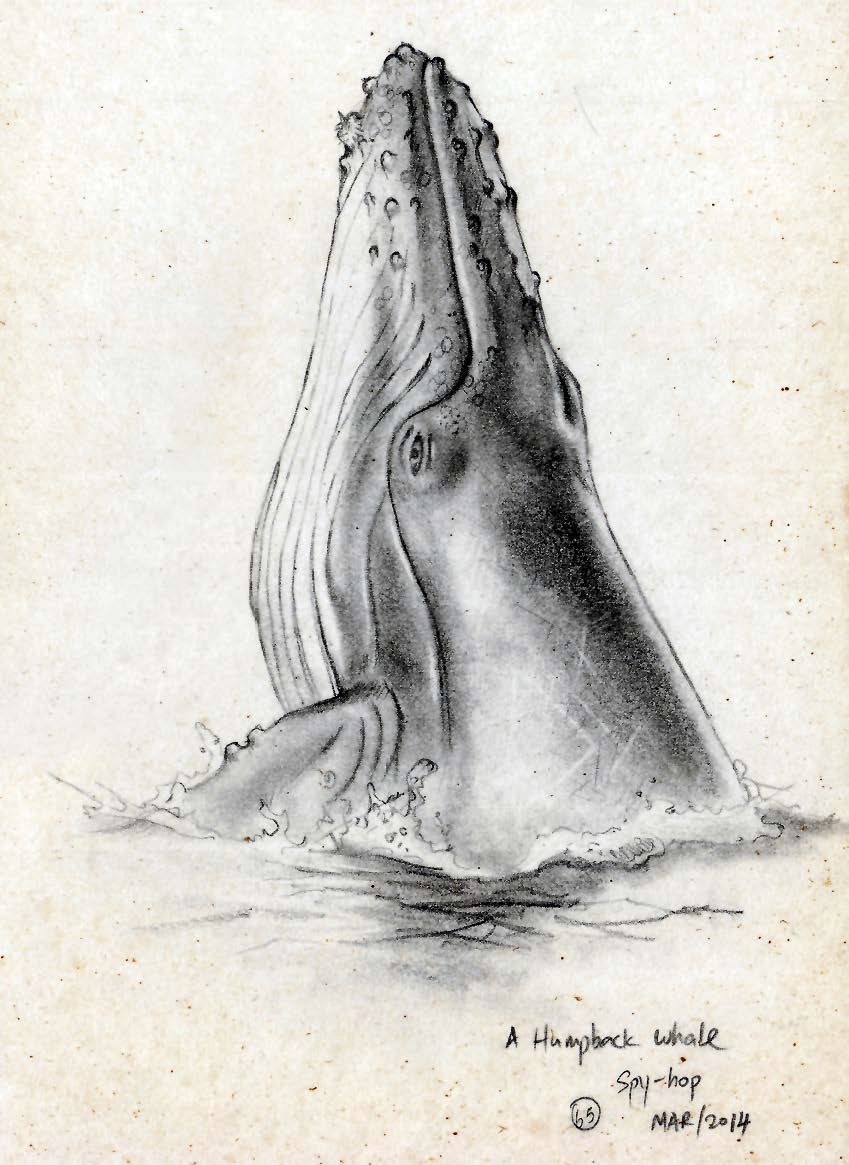
Figure 1: A Humpbacked Whale (Megaptera novaengliae), the penciled notation identifies Van’s 65th illustration in his sketchbook known as “book of fauna”. The painting was selected by Asian Geographic for inclusion in Van’s book Wildlife of the South China Sea.
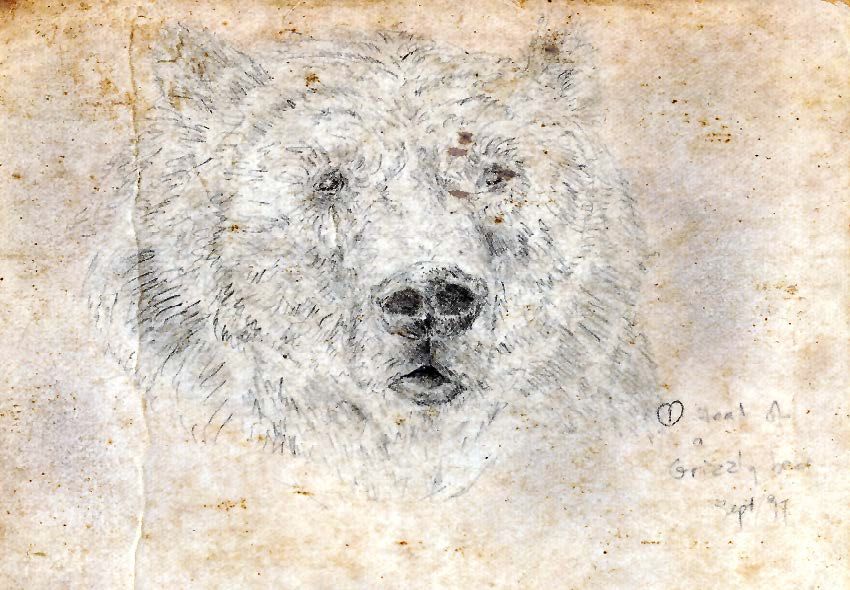
Figure 2:
Grizzly Bear (Ursus arctos horribilis), Van's first illustration, created in September 1997, included in his self-made sketchbook. Each illustration in the "book of fauna" is numbered and dated.
In 1995, I made one of the most important decisions of my life: I joined the school’s library club. Through it, I was able to see zoology books published in the Western world for the first time. That was also when I was introduced to Western-style natural history art from the British colonial era. I also gained access to National Geographic and BBC Wildlife magazines. These publications were great treasures to me, as such materials were very difficult to find at the time.
In 1997, I started my first nature journal-style sketchbook. I developed my skills in drawing realistically through continued practice. I numbered all my drawings and sketches chronologically so that I could trace my progress and keep a visual record of my work (Fig. 1 and 2).
By 2014, I had gained confidence and began contributing my artwork to various NGOs, both locally and overseas. At that time, I still saw little success as a natural science illustrator, but I continued volunteering to gain experience and exposure.
In early 2015, I received an email from California State University, Monterey Bay. They were impressed with my conservation art portfolio and invited me to attend a 14-month course in scientific illustration. The entry requirements were strict, so receiving an invitation was an honor. Unfortunately, the tuition and living costs were too high. Friends encouraged me to apply for local grants, but that turned out to be a frustrating experience. Even though I offered to take a study bond through the local government, I was constantly redirected from one department to another, with no results. A few years later, I tried again, only to be told bluntly by a representative that “scientific art has no market locally.” Ironically, a few years after that, a local university was hiring a scientific illustrator—but required formal qualifications. I was furious at the hypocrisy of the system.
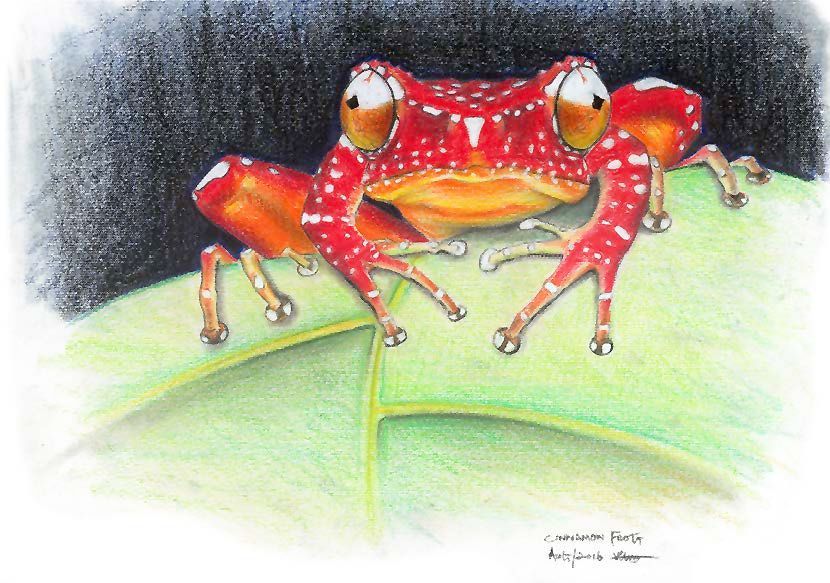
Figure 3: Cinnamon Tree Frog (Nyctixalus pictus): The reception of this illustration proved a turning point in Van’s career as a scientific illustrator and opened the doors to commissioned work.
With no other option, I decided to continue teaching myself scientific illustration. It was challenging to pursue such work in a small country that does not actively support scientific illustration.
Things began to change when I attended an international scientific conference in Singapore. There, I met an older Vietnamese wildlife painter who encouraged me to continue forging my own path. He was self-taught as well and understood that scientific illustration received little recognition in Asia.
In 2016, I began volunteering my artistic skills internationally. A turning point came when I painted a realistic image of a cinnamon tree frog (Fig. 3) for an online fundraising auction organized by Herpetological Conservation International (HCI). I did not expect it to lead to a series of paid commissions and scientific illustration projects afterward.
I began exhibiting in the United States in 2017, and received far more response than I ever did in Singapore. Many American artists are able to participate in 10–15 shows a year across the country, something I aspire to but can’t afford. Every trip is entirely self-funded, and simply flying to the U.S.—with the stronger U.S. dollar—is expensive. Each return to Singapore feels like coming back to a wildlife art graveyard. Since 2017, the vibrancy and vitality of wildlife and natural history art has remained something I experience almost exclusively in the United States (Fig. 4 and 5).
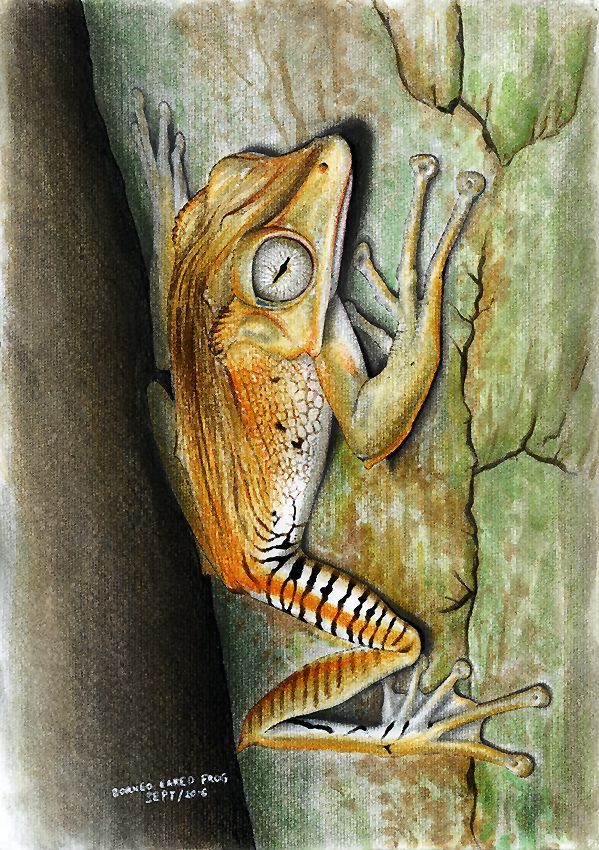
Figure 4: Borneo Eared Frog (Polypedates otilophus). Van’s first illustration commissioned outside of Asia.
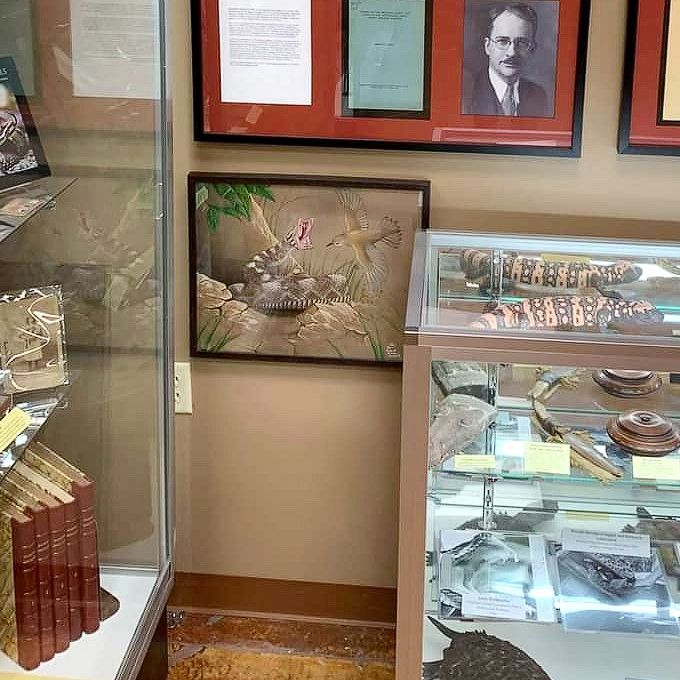
Figure 5:
Van’s illustration of a Persian Spider-tailed Horned Viper (Pseudocerastes urarachnoides) has been archived in New Mexico’s Chiracahua Desert Museum.
Drawing on this experience of exhibiting in the U.S., I was honored in 2021 to create a painting (Fig. 6) for the U.S. Embassy in Singapore—marking 55 years of diplomatic relations. The work brought together the national birds of both countries—the American bald eagle and Singapore’s crimson sunbird—along with their national flowers, the red rose and Singapore’s Vanda Miss Joaquim orchid, unified in a single piece.
My background in traditional Chinese medicine (TCM) helped me contribute knowledge about animal-based folk medicine and its connection to wildlife crime—topics that many Western researchers are less familiar with. I also had three years of experience illustrating academic textbooks for high schools and a few years working in wildlife management for a government perspective. Through the textbook illustration work, I gained experience producing educational materials for countries such as China, Brunei, South Africa, and the United States.
Because of my background and experience, I was exposed to both government and NGO perspectives. This helped me approach my writing and illustration work from a more balanced point of view.
With the rise of wildlife crimes linked to the Chinese supply chain, my bilingual ability in Mandarin and English became an advantage. These combined experiences—academic illustration, wildlife management, TCM knowledge, and work with both government and NGO sectors—made me a rare kind of scientific and wildlife artist. The irony is that I have no PhD, no degree, and no formal certification in scientific illustration.
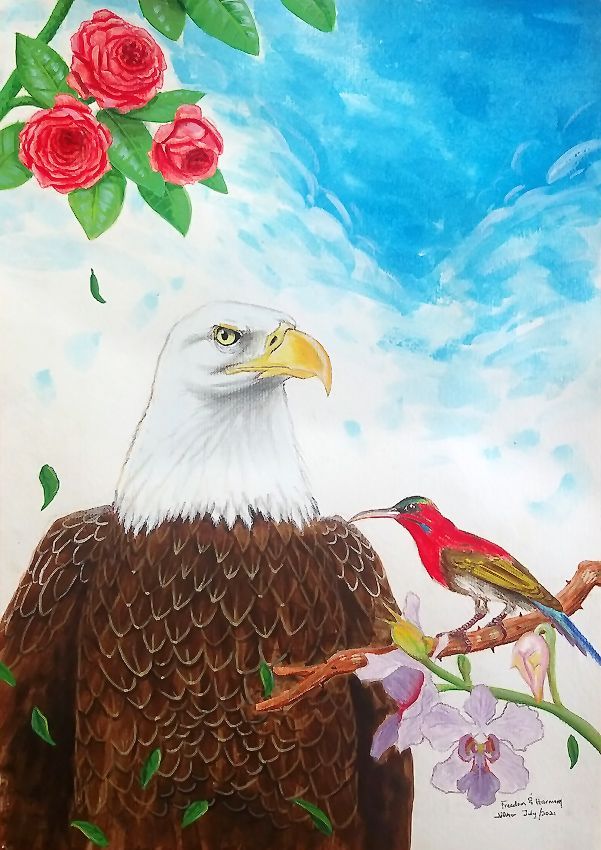
Figure 6: Celebrating 55 years of U.S.–Singapore diplomatic relations, Van melded national symbols from each country into a single image. The Bald Eagle and a red rose symbolize the United States while the Crimson Sunbird and the Vanda Miss Joaquim orchid represent Singapore.
Knowing that my health is fragile and that I live in a region where scientific illustration receives little recognition, I realized time was not on my side. Inspired by an American-Filipino wildlife artist and publisher, I decided to begin illustrating and publishing books based on my knowledge and experience.
Compiling my first book was a major challenge. I had to produce 90 illustrations for the publisher. I was pleasantly surprised when several of my older works from my sketchbooks were accepted and included. That was an encouraging sign that my earlier work was already scientifically accurate and of publishable quality.
I do not have a studio like many artists in the United States or Europe. I often work from libraries or cafés, sketching and coloring with dry media, as libraries and cafés don’t allow large works and in wet media (Fig. 7 and 8). Then I return home to my small bedroom, where I struggle for space on a small table to complete the drawings with gouache, watercolor, or acrylic.
I was deeply humbled when my book was endorsed in 2025 by the United Nations Ocean Conference alongside works by professors and biologists with PhDs and advanced degrees. For someone without formal education in scientific illustration and who faced rejection in his own country, that recognition meant a great deal to me (Fig. 9).
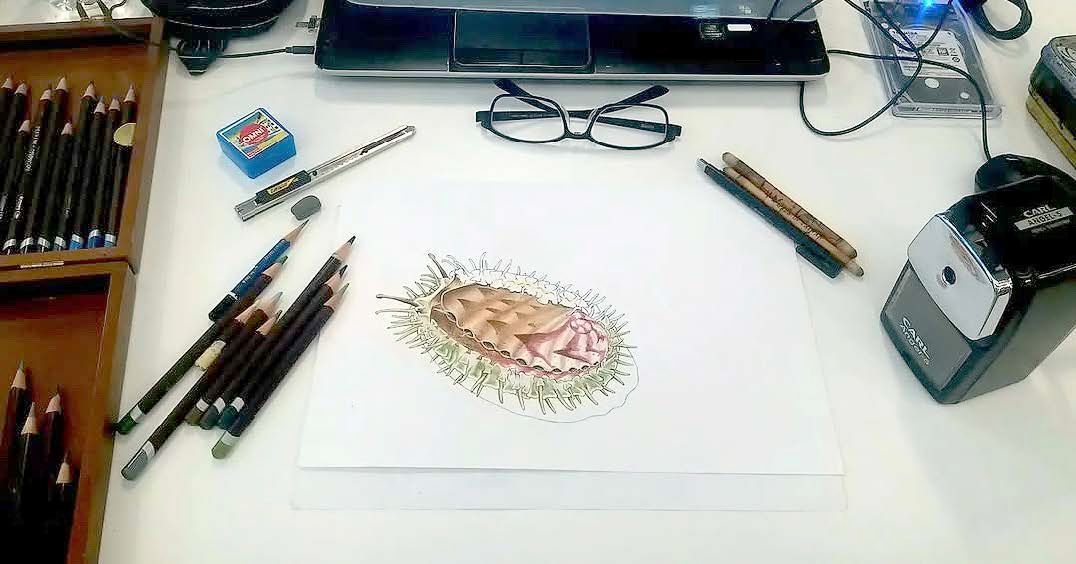
Figure 7:
Without a dedicated studio space, Van works in dry media in public library or cafe spaces. Working in wet media is restricted to using space in his small bedroom. Lack of studio space constrains the sizes of the illustrations he creates.
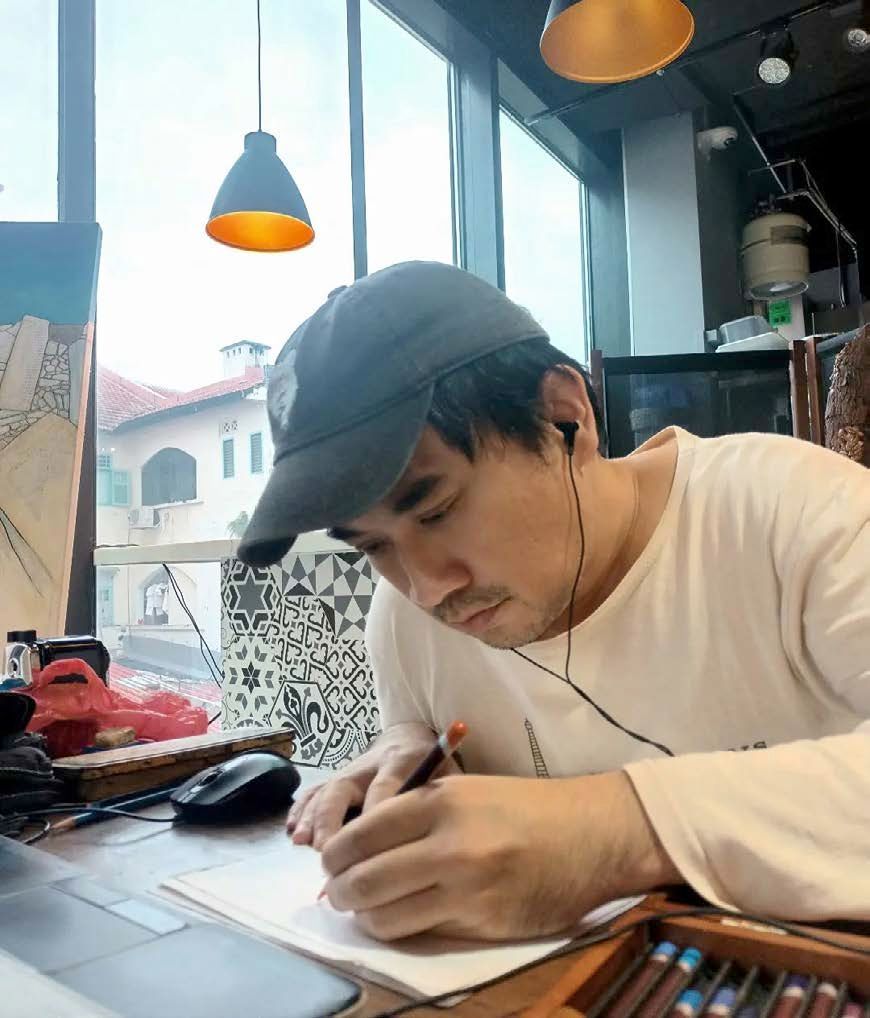
Figure 8: Van Wangye working in a cafe.
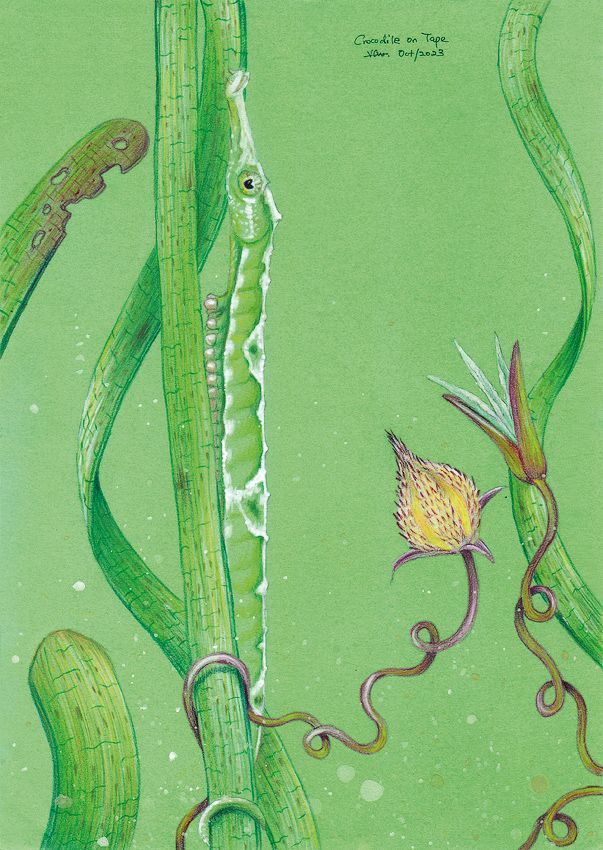
Figure 9: A selection of illustrations included in Wildlife in the South China Sea.
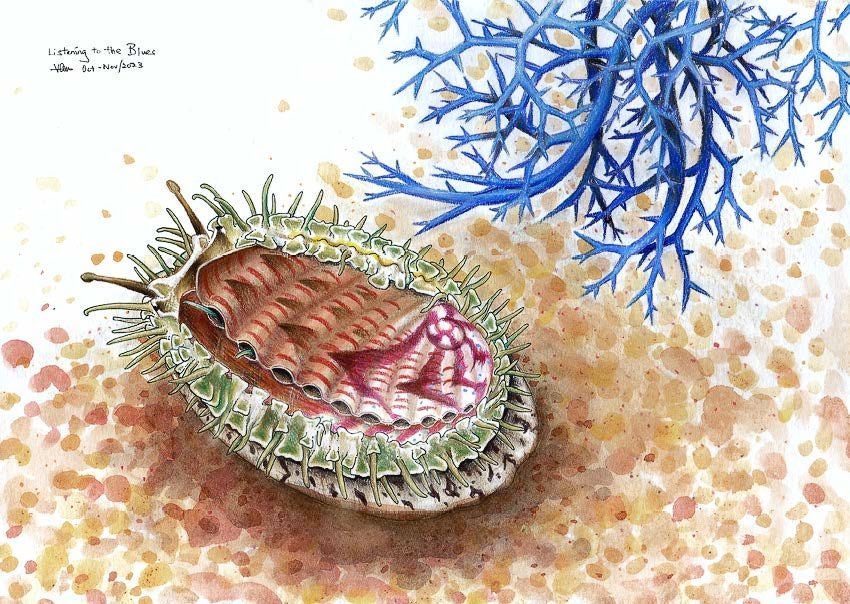
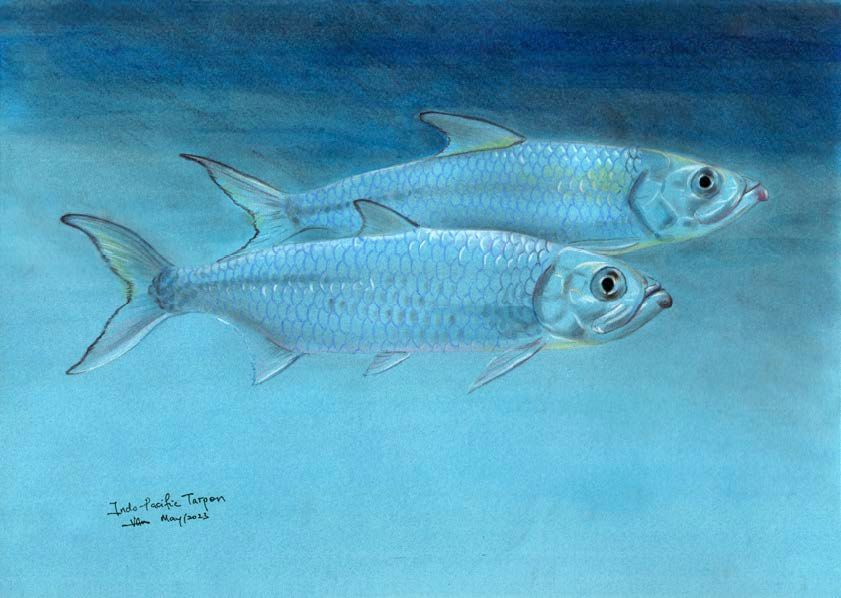
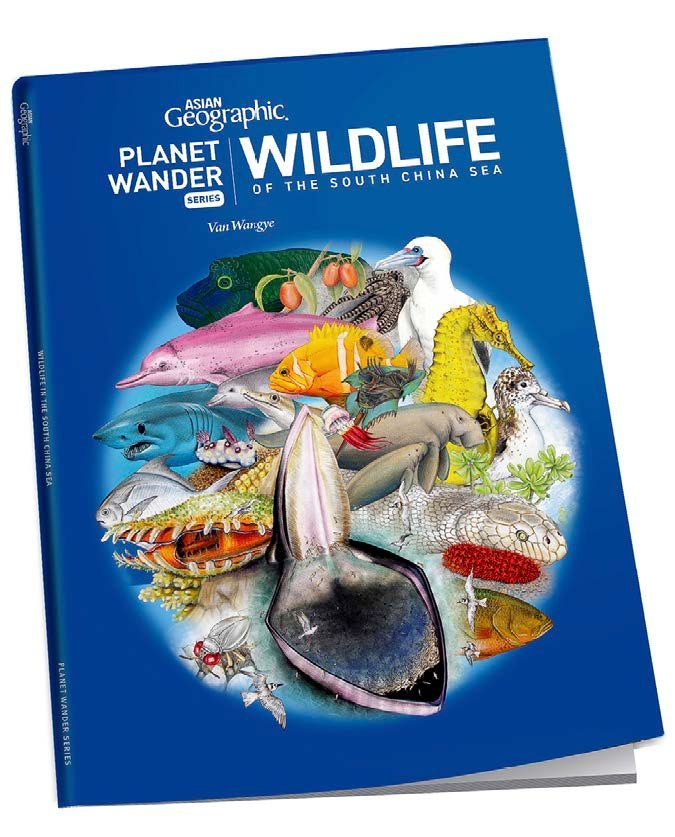
Figure 10:
Book Cover, Wildlife of the South China Sea. Image © Asian Geographic
I still hope this profession will receive greater recognition in the Far East. Over the years, I’ve come to realize that I may be the only scientific illustrator who is bilingual in English and Mandarin, with experience working across both NGOs and government organizations, and with artistic training and exposure spanning Eastern and Western traditions. I also bring rare expertise in traditional Chinese medicine, government-published academic illustration, and firsthand field experience in wildlife management and human–wildlife conflict.
By integrating these wide ranging perspectives, I continue to push toward being a full-time wildlife artist or natural history illustrator with a studio of my own—where my skills are genuinely valued and put to use, as they are in the United States.
Link to purchase the book (Fig. 10): Wildlife of the South China Sea, Asian Geographic https://shop.asiangeo.com/product/wildlife-in-the-south-china-sea/
Facebook: facebook.com/vannatureart
Instagram: instagram.com/vanwangye
This Open Access article appears in the Journal of Natural Science Illustration Volume 58, no. 1 / 2026